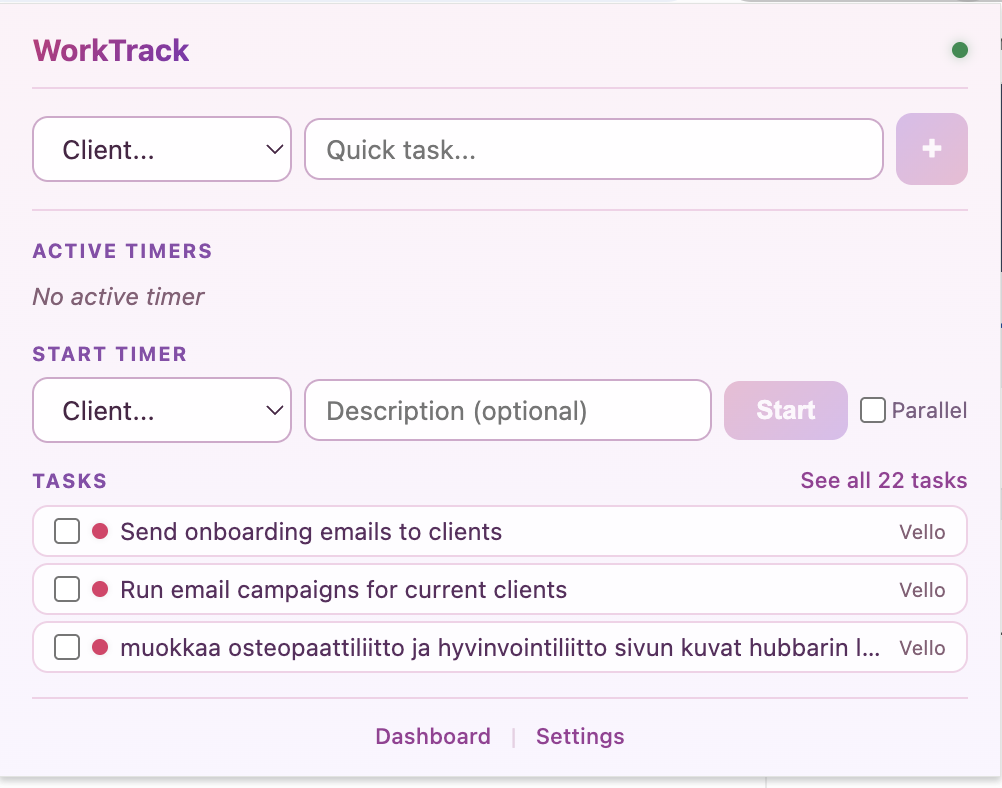
WorkTrack
The Problem
Freelancers and agencies juggle multiple clients, inconsistent billing, and the constant guilt of not tracking time properly. Most tools are either too complex or too basic.
The Solution
WorkTrack has three parts: a Chrome extension, a web dashboard, and a Slack integration.
The Chrome extension lives in your browser so you can start timers, quick-add tasks, and log hours without navigating away from whatever you're doing — whether you're in a meeting, browsing, or deep in a client project. No context switching, no lost focus.
The Slack integration keeps you accountable — it nudges you if you haven't started logging hours, and sends you automatic reports at the end of the day, week, and month so you always know where your time went.
When you need the full picture — hours per client, task breakdowns, reports, billing — the web dashboard gives you everything at a glance.
Key Features
- Chrome Extension — start timers and add tasks instantly, without leaving your current tab
- Web Dashboard — clients, tasks, hours, and reports all in one view
- Smart Time Tracking — start/stop timers, manual entries, or let it detect activity automatically
- Client Management — color-coded clients with hourly or retainer billing
- Task Prioritization — urgent, soon, scheduled, backlog — see what matters now
- Overlap Detection — catches conflicting time entries before they mess up your invoice
- Daily & Weekly Reports — billable hours, activity summaries, ready for clients
- Slack Integration — reminders to log hours, plus daily, weekly, and monthly reports delivered straight to Slack
Tech Stack
Next.js, TypeScript, PostgreSQL, Drizzle ORM, Radix UI, Tailwind CSS, Vercel